
In relation to enhancing your ecommerce product images, choosing the right photo editing app is essential. Each app offers unique features customized to different skill levels and needs. For instance, BeFunky is user-friendly, whereas Adobe Lightroom provides professional-grade tools. Comprehending the strengths of each option can help you create compelling visuals that attract customers. Let’s explore the top five ecommerce photo editing apps that can enhance your product images effectively.
Key Takeaways

- BeFunky: Offers user-friendly editing tools like cropping and filters, transforming average photos into professional visuals at an affordable subscription rate.
- Pixlr: A beginner-friendly web-based editor providing basic image adjustments and extensive tutorials, perfect for creating stunning product images without prior experience.
- PicMonkey: Ideal for enhancing product images with creative overlays, featuring robust editing tools and an easy navigation interface for adding text and graphics.
- Canva: A versatile design platform for personalized marketing materials, featuring a wide range of templates and easy product image uploads to boost brand presentation.
- Adobe Lightroom: Professional-grade editing software with extensive tools for image refinement and batch editing, perfect for serious photographers managing large collections.
BeFunky: User-Friendly Editing for Every Need
When you want to improve your product images quickly and effectively, BeFunky stands out as a user-friendly photo editing app designed for all skill levels. This platform offers an intuitive interface, making ecommerce photo editing accessible for everyone.
With a robust set of tools, including cropping, resizing, and filters, you can easily manipulate your images to boost their appeal. Whether you’re a busy entrepreneur or a small business owner, BeFunky streamlines the photo editing process, allowing you to transform average photos into professional-looking visuals.
For those looking for budget-friendly options, BeFunky provides a free version that covers fundamental editing capabilities. If you want additional features, a paid upgrade is available for just $4.95 a month.
With BeFunky’s product image editing services, you can raise your ecommerce photo editing game, ensuring your images attract potential customers effectively and efficiently.
Pixlr: The Beginner’s Choice for Simple Edits
For those seeking a straightforward and effective photo editing solution, Pixlr emerges as a top choice for beginners. This web-based image editor features a user-friendly design that simplifies the ecommerce image editing process with intuitive navigation.
Although it requires Flash player for full functionality, users familiar with this technology will find their experience seamless. Pixlr offers a variety of tools for basic image adjustments, making it accessible to those with minimal editing experience.
Furthermore, the platform provides extensive free tutorials that help you learn quickly, enhancing your skills over time. The combination of a classic interface and modern features allows you to achieve effective edits without feeling overwhelmed.
Whether you’re adjusting brightness or cropping images, Pixlr equips you with the basics needed for creating stunning product images, making it an ideal starting point in your ecommerce expedition.
PicMonkey: Perfect for Adding Creative Overlays
If you’re looking to improve your product images with creative overlays, PicMonkey is an excellent choice. This platform offers a range of robust editing tools that let you easily add text, graphics, and effects to your photos.
With its user-friendly interface, even beginners can navigate the extensive library of overlays and templates, helping you create professional-looking product images.
PicMonkey’s basic plan allows you to store up to 50 images, making it a practical option for small businesses managing their photo assets. You can likewise take advantage of a free trial period to explore its features before committing to a subscription, which costs $7.99 per month afterward.
Canva: Versatile Tool for Marketing Materials
Building on the capabilities of PicMonkey, Canva stands out as a versatile tool for creating marketing materials personalized to eCommerce businesses.
Its user-friendly platform offers a wide range of templates and design elements, making it simple to develop visually appealing graphics. You can easily upload product images and incorporate them into your designs, enhancing your brand presentation effectively.
Meanwhile, the free version provides access to basic features, a premium subscription starting at $12.95 per month reveals additional templates and design options.
Canva also supports collaboration, allowing your team to work together seamlessly on marketing projects, ensuring brand consistency.
Additionally, its extensive library of preset image sizes simplifies creating customized content for various social media platforms and online stores.
Adobe Lightroom: Professional Editing for Serious Photographers
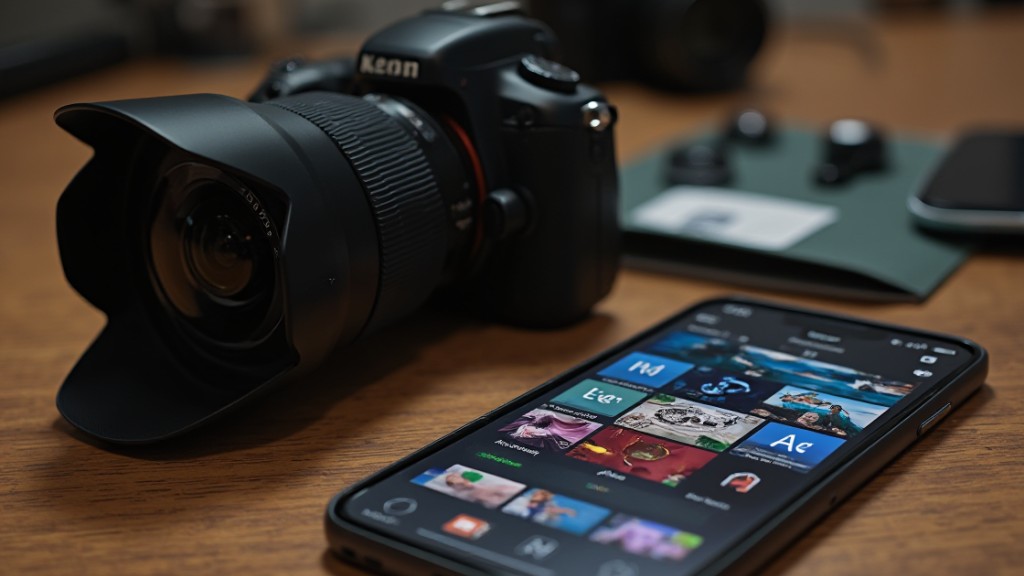
Adobe Lightroom serves as a formidable ally for serious photographers seeking to improve their work through professional-grade editing. This robust software offers extensive tools customized especially for photographers, enabling you to refine image quality and manage your photo collections efficiently.
With Lightroom, you can benefit from a seamless workflow for batch editing, applying presets and adjustments across multiple images simultaneously, which saves significant editing time.
One of its standout features is non-destructive editing, allowing you to make changes without permanently altering your original images. Moreover, Lightroom provides a thorough set of color correction and improvement tools, making it ideal for achieving professional-grade results in product photography.
As part of the Adobe Creative Cloud suite, it integrates smoothly with other Adobe applications, ensuring a cohesive editing and creative process. This makes Lightroom a vital tool for any serious photographer looking to boost their work.
Frequently Asked Questions

What Is the Photo Editor App That Makes Your Pictures Look Stunning?
To make your pictures look stunning, consider using apps like Adobe Lightroom for robust editing features or Canva for user-friendly templates.
If you prefer something free, Snapseed and Pixlr offer accessible interfaces for improving images.
For a modern approach, AI-driven apps like Claid.ai and Let’s Enhance can greatly boost photo quality.
Each option provides unique tools to uplift your images, so choose one that aligns with your editing needs and skill level.
What Is the App That Enhances Product Photos?
To improve product photos, you can use several effective apps. CLAID.AI quickly removes backgrounds and enhances images in just a few seconds.
If you need to upscale or restore photos, Let’s Enhance is a user-friendly option. For mobile editing, Adobe Photoshop Express offers quick fixes and an intuitive interface.
Soona Media Editor uses AI for background removal and variations. Finally, Pixlr and Canva provide extensive editing options suitable for beginners.
Which Is the No. 1 Photo Editing App?
The No. 1 photo editing app is often Adobe Photoshop. It offers an extensive feature set that meets complex editing needs, making it suitable for both beginners and advanced users.
As its subscription starts at $31.49 per month, it’s a solid investment for anyone serious about high-quality images.
Photoshop’s batch processing capabilities streamline workflows, and its integration with third-party plugins improves functionality, tailoring the app to various editing requirements effectively.
How to Edit Photos for Ecommerce?
To edit photos for eCommerce, start by using AI tools for quick background removal and improvements.
Ascertain consistent lighting and backgrounds to improve professionalism.
Utilize apps like Snapseed or Canva for simple adjustments, such as cropping or adding text.
For bulk images, consider batch editing features in apps like Picsart to save time.
Finally, showcase products from multiple angles in high resolution to increase viewer retention and boost conversion rates.
Conclusion

In summary, selecting the right photo editing app is crucial for creating stunning product images that effectively showcase your offerings. BeFunky and Pixlr cater to users seeking straightforward editing solutions, whereas PicMonkey adds creativity through overlays. Canva stands out for its marketing versatility, and Adobe Lightroom is preferred by those who demand professional results. By leveraging these tools, you can improve your ecommerce visuals, ultimately helping to attract customers and boost sales.
Image via Google Gemini