
Inventory management software plays a critical role in modern business operations by automating the tracking of stock levels and order fulfillment. It works through a cloud-based platform that continuously monitors inventory in real-time, adjusting quantities as sales occur. This system not just generates alerts for low stock but likewise integrates with eCommerce and accounting platforms for accurate reporting. To understand how these processes unfold, let’s explore the specific steps involved in managing inventory effectively.
Key Takeaways

- Inventory management software automates tracking stock levels, orders, and fulfillment in real-time across various sales channels.
- It utilizes barcoding or RFID technology for efficient order-picking and accurate inventory updates as items are sold.
- Automated reordering processes trigger purchase orders when stock dips below predefined thresholds, preventing stockouts.
- The software integrates with eCommerce platforms and accounting systems, synchronizing inventory levels for improved visibility.
- Reporting tools analyze stock levels and trends, providing insights for better decision-making and demand forecasting.
What Is Inventory Management Software?

Inventory management software is a crucial tool for businesses aiming to optimize their stock management processes. This software automates the tracking of stock levels, orders, and fulfillment, enhancing operational efficiency and accuracy.
One of the key benefits of inventory management software is its ability to operate on a cloud-based platform, allowing real-time access and integration with various sales channels and accounting systems. By leveraging inventory management system software features, you can automate reordering based on minimum stock levels, ensuring you never run out of vital items.
Moreover, it provides real-time inventory tracking and detailed reporting for performance analysis, which helps improve decision-making. So, how does inventory management software work? It reduces human error and streamlines operations, making your business more efficient.
Pricing typically ranges from $100 to $3,000 per month, varying based on the features and scalability your business needs.
Key Features of Inventory Management Software

Regarding inventory management software, key features like real-time tracking and automated reordering processes are crucial for efficiency.
You’ll find that real-time inventory tracking helps you monitor stock levels across various locations, preventing both overstocking and stockouts.
Furthermore, automated reordering guarantees that you maintain adequate inventory by triggering purchases based on predefined stock thresholds, saving you time and reducing errors.
Real-time Inventory Tracking
Effective inventory management hinges on real-time tracking, which allows businesses to continuously monitor stock levels and maintain accurate information about product availability.
This software automates updates to stock levels as sales and purchases occur, reducing the risk of overselling or stockouts. By integrating with eCommerce platforms, you can seamlessly track inventory across multiple sales channels, providing a detailed view of your stock in real-time.
Utilizing barcoding or RFID technology improves the efficiency of order-picking processes and enhances accuracy during stock counts.
Additionally, the reporting tools within the software analyze inventory data, enabling you to identify trends and make informed decisions about restocking and inventory turnover, ultimately improving your business operations and customer satisfaction.
Automated Reordering Processes
Maintaining ideal stock levels is crucial for business success, and automated reordering processes play a significant role in achieving this goal.
Inventory management software automates reordering by setting predefined minimum stock levels, which trigger purchase orders when inventory dips below these thresholds. This minimizes stockouts, ensuring you have enough inventory to meet customer demand without manual intervention.
You can customize automated reordering based on historical sales data and seasonal trends, allowing you to adjust stock levels proactively. Many systems as well integrate with supplier databases, streamlining procurement by automatically sending purchase orders to designated suppliers.
How Inventory Management Software Works

Inventory management software works by continuously tracking stock levels in real-time, so you always know how much inventory you have on hand.
It automates reordering processes when your stock hits a certain level, which helps prevent running out of products.
Moreover, the software integrates seamlessly with other systems, like eCommerce platforms and accounting tools, to streamline your operations and reduce errors in data entry.
Real-Time Stock Tracking
As businesses aim to streamline operations, real-time stock tracking through inventory management software becomes essential for maintaining ideal inventory levels. This software continuously monitors stock levels, automatically updating quantities with each sale and purchase.
By integrating with various sales channels and eCommerce platforms, it consolidates orders and offers a thorough view of inventory status across multiple locations. Real-time tracking enables you to generate accurate inventory reports and analytics, identifying sales trends to optimize stock levels based on demand forecasting.
Utilizing barcoding or RFID technology improves the speed and accuracy of stock counting, ensuring efficient handling and processing of inventory items. This proactive approach greatly reduces the risk of stockouts and overstocking, finally enhancing operational efficiency.
Automated Reordering Processes
Automated reordering processes are a breakthrough for businesses looking to streamline their inventory management. With inventory management software, you can set predefined minimum stock levels, which triggers automatic purchase orders when inventory dips below those thresholds.
The software continuously monitors your stock levels in real-time, allowing you to respond quickly to demand fluctuations and avoid stockouts. By automating reordering, you eliminate the need for manual tracking, reducing human error and saving valuable time.
This efficiency not just improves cash flow management but likewise optimizes inventory turnover rates. In the end, automated reordering processes improve your overall business performance, ensuring that you maintain adequate stock without excessive overordering or waste.
Integration With Other Systems
Integrating inventory management software with other systems is crucial for maintaining accurate and efficient operations across your business. By connecting with eCommerce platforms, you can synchronize inventory levels in real-time, ensuring accurate stock data and preventing overselling.
Many systems offer API capabilities that enable seamless integration with accounting software, which automates financial updates and reduces manual data entry errors. In addition, advanced solutions can link with point-of-sale (POS) systems, allowing for instant tracking of sales and inventory depletion.
Integration with supply chain management tools improves visibility and coordination of inventory movements, facilitating timely replenishment. Some software even connects with ThomasNet third-party logistics (3PL) providers, streamlining shipping processes and boosting overall operational efficiency, ultimately benefiting your bottom line.
Step 1: Inputting Data

Effective inventory management starts with accurate data input, which is fundamental for maintaining ideal stock levels. You begin by entering critical product information like Stock Keeping Units (SKUs), descriptions, and quantities. This data is indispensable for tracking and managing your inventory effectively.
Moreover, you can categorize products based on attributes such as type, size, and location within the warehouse. This organization helps streamline retrieval processes.
Many inventory management systems offer the ability to bulk import data using spreadsheets or CSV files, making it easier to add new items. Remember, accurate input isn’t just a formality; it directly impacts your inventory levels, reordering processes, and overall operational efficiency.
To maintain real-time inventory accuracy and prevent discrepancies, ongoing updates to product data, including sales and returns, are critical. Proper data input lays the groundwork for successful inventory management, ensuring your stock meets customer demand.
Step 2: Monitoring Stock Levels
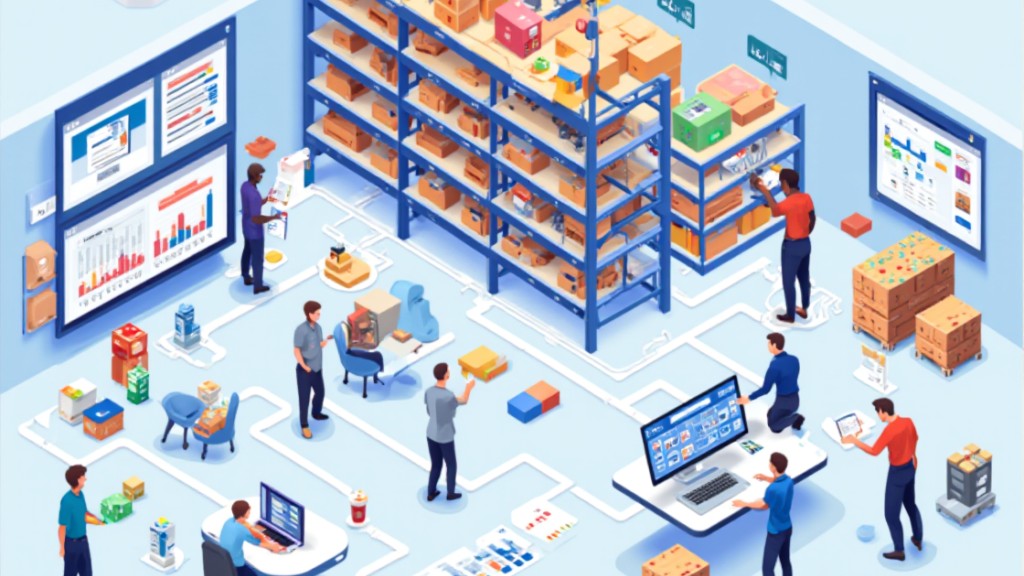
Once you’ve established accurate data input, the next step involves continuously monitoring stock levels to guarantee that your inventory remains aligned with demand.
Your inventory management software will automatically update quantities in real-time as sales and purchases occur, ensuring precise records.
Here are some key features that improve stock level monitoring:
- Predefined thresholds that trigger alerts when stock falls below a set minimum, preventing stockouts.
- Barcoding or RFID technology that enables quick, accurate stock tracking, minimizing human error.
- Integration with eCommerce platforms, consolidating sales data for a thorough inventory view across locations.
- Regular reporting features that analyze stock levels and trends, aiding in effective planning.
- Insights into product performance, helping you forecast inventory needs more accurately.
Step 3: Automating Purchasing and Reordering

In this step, you’ll see how automating purchasing and reordering can greatly improve your inventory management.
The software automatically generates purchase orders when stock levels hit predefined thresholds, ensuring you don’t run out of crucial items.
Furthermore, with streamlined purchase orders and automated stock alerts, you can focus more on growing your business as you reduce the risk of human error.
Streamlined Purchase Orders
In regard to managing your inventory, automating purchasing and reordering can considerably improve efficiency and accuracy. By using inventory management software, you can automate the generation of purchase orders when stock levels dip below set thresholds. This guarantees your products are always available.
Here are some key benefits:
- Direct connection with suppliers for seamless communication
- Reduced risk of stockouts and overstocking
- Dynamic adjustment of reorder quantities based on real-time data
- Optimized inventory levels influenced by sales forecasts
- Minimized human errors in ordering processes
With these features, you save time, boost accuracy, and manage suppliers more effectively, allowing you to focus on other critical aspects of your business.
Automated Stock Alerts
Automated stock alerts play a crucial role in effective inventory management, as they notify you when your inventory levels dip below predetermined thresholds. This feature guarantees timely reordering, helping you prevent stockouts and maintain ideal stock levels.
The software analyzes historical sales data and trends to establish appropriate reorder points, allowing for dynamic adjustments in response to fluctuating demand. It can automatically generate and send purchase orders to suppliers, streamlining your procurement process and reducing manual entry errors.
You can customize alerts based on specific product categories or sales velocity, enabling you to prioritize high-demand items. Integration with accounting and e-commerce systems provides real-time updates, ensuring that stock alerts remain accurate and reflective of current sales activities.
Step 4: Tracking Sales and Adjusting Inventory

To effectively manage inventory, tracking sales and adjusting stock levels is vital for maintaining ideal operations. Inventory management software plays an important role in this process by continuously monitoring sales in real-time.
Here’s how it helps:
- Updates stock levels automatically as items are sold, ensuring accurate inventory counts.
- Utilizes historical sales data to predict future demand and adjust inventory proactively.
- Sends automated alerts when stock levels drop below predetermined thresholds, facilitating timely reordering.
- Consolidates sales data from multiple channels, preventing discrepancies that lead to overstocking or stockouts.
- Dynamically adjusts inventory based on sales trends, allowing informed decisions about promotions and stock placements.
Step 5: Analysis and Reporting

Effective analysis and reporting are crucial components of inventory management that empower businesses to make strategic decisions. Inventory management software offers detailed reporting features that help you analyze inventory levels, sales trends, and turnover rates. This insight allows you to identify patterns and make informed decisions.
You can generate customized reports to track key performance indicators (KPIs), such as stockouts and overstock situations. Furthermore, the software includes forecasting tools that use historical sales data to predict future demand, optimizing your inventory levels. Automated reporting capabilities provide real-time insights, enabling you to quickly adapt to market changes.
Here’s a quick overview of key reporting features:
| Feature | Description | Benefit |
|---|---|---|
| Customized Reports | Customized reports for specific KPIs | Focused decision-making |
| Forecasting Tools | Predict future demand based on historical data | Optimize inventory levels |
| Integration | Connects with financial systems | All-encompassing cost view |
| Real-time Insights | Automated updates on inventory performance | Quick adaptation |
| Trend Analysis | Identifies sales trends over time | Strategic planning |
Benefits of Using Inventory Management Software

When you implement inventory management software, you’re likely to experience a range of benefits that can markedly improve your business operations.
Here are some key advantages:
- Increased efficiency: Automating tasks like reordering saves time and reduces human error.
- Real-time tracking: Keep tabs on inventory levels to prevent stockouts and overstock situations.
- Seamless integration: Connect easily with eCommerce platforms and accounting systems, improving data accuracy.
- Informed decision-making: Utilize reporting and forecasting tools to analyze sales trends and make better inventory decisions.
- Enhanced supplier management: Improve communication and tracking with suppliers, potentially leading to better purchasing terms.
Industry-Specific Considerations for Inventory Management Software

Choosing the right inventory management software is fundamental, especially since different industries have distinct needs and challenges. Retailers benefit from software that integrates with point-of-sale systems, allowing automatic tracking and cataloging of inventory by size, color, and type. This is critical for managing stock across multiple sales channels efficiently.
Manufacturers can improve their operations by using features like product cost analysis and historical data forecasting to optimize production schedules and inventory levels.
For warehouse management, advanced features such as barcoding and RFID capabilities boost accuracy in inventory control and minimize human error. E-commerce businesses need software that seamlessly integrates with online sales platforms to prevent overselling and manage stock levels effectively.
Moreover, specific industries like food and pharmaceuticals require customized solutions to address unique challenges, such as perishability or regulatory compliance. Choosing software that meets these industry-specific needs is fundamental for operational success.
Frequently Asked Questions

How Does an Inventory Management System Work?
An inventory management system (IMS) tracks stock levels in real-time, allowing you to monitor inventory as it moves in and out.
It automates purchasing based on predefined criteria, ensuring stock replenishment when levels drop.
By integrating with sales channels and accounting systems, it consolidates data for accuracy.
Features like barcode scanning streamline order fulfillment, whereas reporting tools analyze sales data, helping you forecast demand and improve overall inventory management.
What Is the Inventory Management Software Process?
The inventory management software process starts with you inputting product data, like SKUs and stock levels.
As sales happen, the software tracks stock in real-time, preventing stockouts and overstocking. It automatically triggers reordering when stock falls below set thresholds.
Furthermore, it adjusts inventory levels based on sales and returns. Reporting tools analyze performance metrics, helping you forecast demand and optimize your inventory management strategies effectively.
This guarantees efficient stock control and better decision-making.
What Do Inventory Management Softwares Do?
Inventory management software helps you track stock levels in real time, preventing overstocking or stockouts.
It consolidates orders from various sales channels, streamlining order management and integrating with eCommerce and accounting systems.
The software automates purchasing and reordering based on set criteria, reducing manual tasks.
Furthermore, it provides reporting and forecasting tools that analyze historical sales data, aiding in predicting future inventory needs and optimizing stock levels for better efficiency.
What Are the 5 Stages of the Inventory Management Process?
The inventory management process consists of five key stages.
First, you purchase inventory, acquiring goods to meet demand.
Next, you store the inventory, organizing products in warehouses until needed.
Then, you focus on profiting from inventory by managing product availability for customer orders.
The fourth stage involves shipping products swiftly to improve customer satisfaction.
Finally, you manage inventory flow, balancing incoming and outgoing stock using real-time data for informed decisions about reordering.
Conclusion

In summary, inventory management software streamlines stock tracking and order fulfillment, greatly enhancing operational efficiency. By automating data input, monitoring stock levels, and analyzing sales trends, it helps prevent stockouts and overselling. Utilizing real-time updates and integration with various platforms, businesses can make informed decisions based on accurate reporting. Ultimately, adopting this software not just saves time but also optimizes inventory control, making it a valuable tool for any organization looking to improve its inventory management processes.
Image via Google Gemini