
When managing finances for your small business, choosing the right bookkeeping program is essential. Various options are available, each with unique features and benefits. For instance, QuickBooks Online is known for its user-friendly interface, whereas Xero shines in reporting capabilities. FreshBooks automates invoicing, and Wave offers free tools ideal for freelancers. Each program caters to different needs, so comprehending their strengths can greatly impact your financial management. What will suit your business best?
Key Takeaways

- FreshBooks: Highly rated for freelancers and small businesses, offering automated billing and a user-friendly interface starting at $15 per month.
- Xero: Known for strong reporting capabilities and multi-currency support, starting at $20 per month for small businesses.
- QuickBooks Online: Popular choice with automated bookkeeping features, starting at $38.20 per month after a free trial.
- Zoho Books: Competitive pricing at $15 per month with robust invoicing and expense tracking ideal for small to medium businesses.
- Wave: Offers free core accounting features, making it budget-friendly for freelancers and very small businesses with optional paid services.
Intuit QuickBooks Online

When you’re looking for reliable bookkeeping software, Intuit QuickBooks Online stands out as a popular option among small to large businesses, especially startups. Rated 4.0/5 on G2Crowd, it’s recognized for its user-friendly interface that allows anyone, even those without accounting knowledge, to manage cash flow effectively.
QuickBooks Online offers crucial features for bookkeeping, invoicing, and expense tracking, starting at just $38.20 per month after a free trial.
One of the strong points of this software is its seamless integration with platforms like PayPal and Square, enhancing your financial transaction management. Furthermore, it includes automated bank feeds and AI-powered tools for accurate transaction categorization, simplifying payroll bookkeeping processes.
Whether you’re tracking expenses or generating financial reports, QuickBooks Online provides an efficient solution among the best bookkeeping programs available today.
Xero

Xero stands out with a user-friendly interface customized for small businesses, allowing you to manage your finances without needing extensive accounting skills.
Its pricing starts at $20 per month for the Starter plan, offering flexibility to accommodate various business needs, whereas crucial features like invoicing, bank reconciliation, and expense tracking help you maintain a clear picture of your financial health.
Furthermore, Xero’s strong reporting capabilities and support for multiple currencies make it an excellent choice for businesses engaging in international transactions.
Key Features Overview
For small businesses seeking a reliable bookkeeping solution, Xero offers a range of key features designed to simplify financial management. Its user-friendly interface allows you to navigate and manage financial tasks efficiently.
If your business operates globally, Xero supports multiple currencies, making it easy to handle transactions across borders. The platform also includes robust reporting capabilities, giving you insights into your financial performance through customizable reports customized to your needs.
Furthermore, Xero’s automatic bank reconciliation feature guarantees that you can effortlessly match transactions with bank statements, maintaining accuracy in your records.
Finally, Xero integrates with a wide array of third-party applications, enhancing its functionality and allowing you to streamline various business operations effectively.
Pricing and Plans
Comprehending the pricing and plans of bookkeeping software is crucial for small businesses looking to manage their finances effectively.
Xero offers a Starter plan for $20 per month, which includes invoicing, bank reconciliation, and support for up to 20 invoices and bills each month.
If your business is growing, the Standard plan at $30 per month allows unlimited invoices, bills, and bank transactions.
For more advanced requirements, the Premium plan costs $47 per month and features multi-currency support and improved reporting capabilities.
Xero additionally provides a free trial period, giving you a chance to explore its features before committing to a subscription.
This pricing structure is designed to scale with your business as it evolves, ensuring flexibility and support.
FreshBooks

FreshBooks stands out as a popular choice among freelancers and small businesses looking to simplify their financial management. It offers a user-friendly interface that makes invoicing and expense tracking straightforward, even though you don’t have extensive accounting knowledge.
Starting at $15 per month, FreshBooks likewise provides a 30-day free trial, allowing you to explore its features before making a commitment. With a solid rating of 4.5/5 on G2Crowd, it demonstrates exceptional customer satisfaction and effectiveness in handling financial tasks.
The software includes a mobile app, so you can manage your finances on the go, creating invoices and logging expenses anytime, anywhere. Moreover, FreshBooks automates recurring invoices and payment reminders, helping you streamline your billing processes and improve cash flow management.
Wave

Wave is a free accounting and invoicing software customized for freelancers and very small businesses, providing a range of crucial features like receipt scanning and expense tracking.
You can manage your finances without the burden of costs, making it an attractive choice for those with basic bookkeeping needs.
Yet, as it offers useful tools, it’s significant to recognize that it may lack some advanced features found in paid alternatives, which could impact your business as it grows.
Key Features Overview
For small businesses and freelancers looking for an efficient and cost-effective bookkeeping solution, Wave stands out with its suite of key features designed to simplify financial management. Its free accounting and invoicing software is perfect for those with minimal bookkeeping needs.
| Feature | Description |
|---|---|
| Receipt Scanning | Easily digitize and manage your financial documents. |
| Financial Reporting | Generate vital reports like profit and loss statements. |
| Unlimited Tracking | Track income and expenses without restrictions. |
Additionally, Wave integrates with various payment platforms, making invoicing and payment collection seamless. This combination of features enables you to manage your cash flow effectively, allowing you to focus more on growing your business.
Pricing Structure Explained
Grasping the pricing structure of Wave is essential for small businesses and freelancers looking to manage their finances effectively.
Wave offers free accounting and invoicing software, making it an excellent choice for those with minimal bookkeeping needs. Meanwhile, the core features, such as unlimited invoicing and expense tracking, are available at no cost.
Additional services like payroll come with fees—starting at $20 per month, plus $6 per month for each employee. You’ll likewise find features like receipt scanning and basic financial reporting included without a paid subscription.
This flexible pricing model allows you to scale your accounting needs, integrating paid features only as your business grows, ensuring you pay only for what you use.
Pros and Cons
When considering your bookkeeping options, it’s important to weigh the pros and cons of using Wave. One significant advantage is that Wave offers free accounting and invoicing software, making it ideal for freelancers and very small businesses with basic needs.
You’ll appreciate features like receipt scanning and basic financial reporting, plus its user-friendly interface, which earned a 4.4/5 rating on G2Crowd. Wave additionally connects with bank accounts for seamless transaction imports, simplifying your bookkeeping process.
Nevertheless, it may lack advanced functionalities that more complex businesses require as they grow. Consequently, although Wave is budget-friendly, you might find it limiting if your business expands and demands more robust features in the future.
Zoho Books
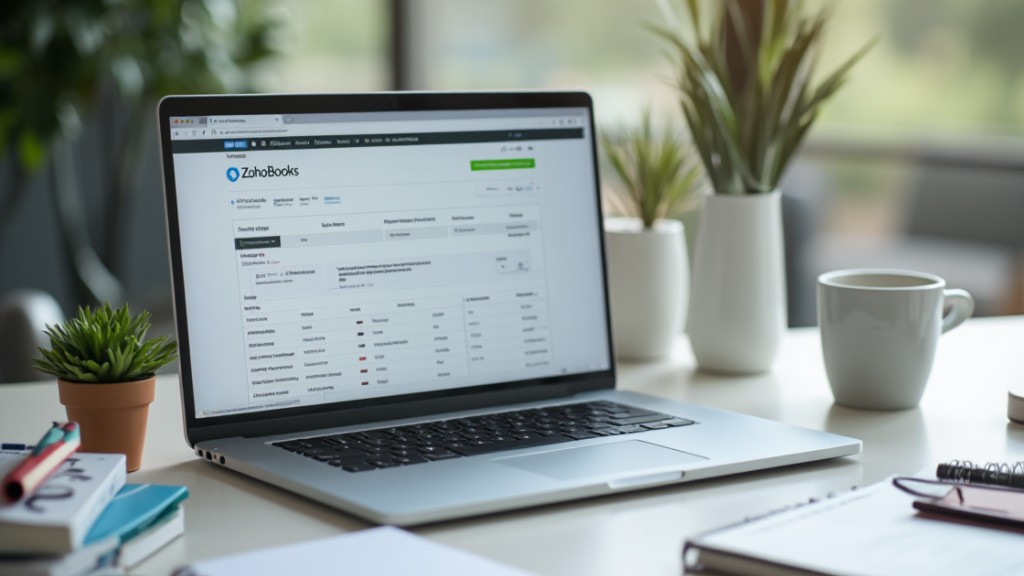
Zoho Books offers small to medium businesses a robust solution for managing their financial tasks effectively, especially considering its starting price of just $15 per month. Rated 4.4/5 on G2Crowd, it’s a competitive choice in the bookkeeping software arena.
The platform includes thorough features such as invoicing, expense tracking, and automation for recurring invoices and payment reminders, making it easy to stay organized. Moreover, it integrates seamlessly with other Zoho applications, enhancing your business workflow and collaboration.
If you operate internationally, you’ll appreciate that Zoho Books supports multiple currencies, allowing you to manage finances across borders effortlessly. The software likewise boasts robust reporting capabilities, enabling you to generate detailed financial insights and analytics.
These features combine to create an efficient and effective bookkeeping solution, helping you focus on growing your business while keeping your finances in check.
Sage Business Cloud Accounting
For small businesses and freelancers looking for an affordable accounting solution, Sage Business Cloud Accounting presents a compelling option. Priced starting at just $10 per month, it offers vital features like invoicing, expense tracking, and reporting, enabling you to manage your finances efficiently from anywhere because of its cloud-based access.
Rated 4.3/5 on G2Crowd, Sage provides a user-friendly interface that simplifies financial management, making it especially suitable for small operations.
Furthermore, it supports multiple currencies and includes features for tax compliance, which is beneficial for businesses dealing with international transactions.
Sage Business Cloud Accounting likewise integrates seamlessly with other business applications, helping to improve overall productivity and streamline workflows. This flexibility guarantees that whether you’re working locally or globally, you can maintain accurate financial records and stay compliant with ease.
Intuit QuickBooks Self-Employed
Intuit QuickBooks Self-Employed serves as a practical solution for freelancers and self-employed individuals who need to manage their finances effectively. It helps you separate business and personal expenses, ensuring clear cash flow management.
The software includes crucial features like invoicing, expense tracking, and tax estimation, making tax time less stressful. By integrating seamlessly with platforms like PayPal and Square, it streamlines payment collection and overall financial management.
Starting at just $15 per month, QuickBooks Self-Employed is an affordable option for those with basic accounting needs, and it offers a 30-day free trial for new users.
Users have rated it 3.5 out of 5 on G2Crowd, citing its user-friendly interface and crucial features designed particularly for gig workers. With its straightforward design, you can efficiently track your finances and focus more on your work.
Frequently Asked Questions

What Is the Easiest Way to Do Bookkeeping for a Small Business?
The easiest way to handle bookkeeping for your small business is to use user-friendly accounting software. This software automates key tasks like invoicing and expense tracking, so you won’t need extensive accounting knowledge.
Cloud-based solutions let you access your financial data anytime, enhancing organization. By integrating your Bank of America accounts, you can automatically import transactions, reducing manual errors.
Furthermore, customizable reporting tools help you generate financial statements quickly for informed decision-making and tax preparation.
What Is the Best Alternative to Quickbooks for Small Business?
When considering alternatives to QuickBooks for your small business, FreshBooks stands out with its focus on invoicing and expense tracking.
Xero offers a user-friendly interface and crucial features like bank reconciliation.
If you’re looking for free options, Wave provides basic tools suitable for freelancers.
Zoho Books integrates well with other applications, whereas Sage Business Cloud Accounting offers extensive features at an affordable price.
Evaluate these options based on your specific needs to find the best fit.
Does Google Have a Free Bookkeeping Program?
Google doesn’t offer a dedicated free bookkeeping program, but you can use Google Sheets for basic bookkeeping tasks.
It allows you to create custom spreadsheets, track income and expenses, and generate simple financial reports. Although Sheets is free, it requires manual updates and lacks automation features found in specialized software.
For a more thorough solution, consider alternatives like Wave or Zoho Books, which provide free or low-cost accounting options customized for your needs.
Is Quicken or Quickbooks Better for Small Business?
When comparing Quicken and QuickBooks for small businesses, QuickBooks is typically the better choice.
It offers extensive features like invoicing, payroll, and expense tracking customized for business needs. QuickBooks furthermore supports multiple users and integrates with various business apps, enhancing collaboration.
Moreover, its advanced reporting tools provide real-time insights into financial health.
Whereas Quicken focuses on personal finance, it lacks the robust capabilities necessary for effective business management, making QuickBooks more suitable.
Conclusion

Choosing the right bookkeeping program is vital for small businesses looking to streamline their financial management. Each option, from QuickBooks Online to Wave, offers unique features customized to different needs. Whether you prioritize automation, reporting, or cost-effectiveness, there’s a solution that fits your business model. By evaluating these programs, you can improve your accounting processes, enhance accuracy, and ultimately save time. Make an informed decision to support the financial health of your business moving forward.
Image via Google Gemini