

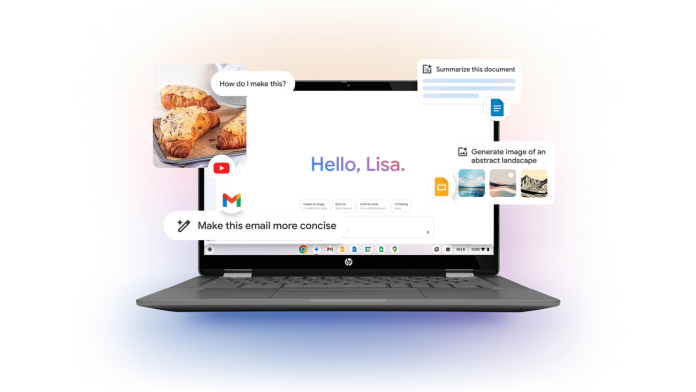
For small business owners, productivity tools can be game-changers, and Google’s latest features for Chromebook Plus aim to enhance just that. With a slew of innovative updates designed to streamline tasks and improve efficiency, small business operators can step up their productivity game—whether they’re working from the office or remotely.
One of the standout features is the Welcome Recap, which assists users upon restarting their devices. This tool acts as a personal assistant, providing quick access to upcoming meetings, weather updates, and links to recently opened websites. For small business owners juggling various responsibilities, this can significantly save time and increase focus, allowing them to hit the ground running each day.
Furthermore, the GIF recording functionality allows users to create quick snippets for training or fun. Small businesses, particularly in marketing or customer service, can utilize this feature for crafting engaging tutorials or promotional content, offering a unique way to connect with clients and team members. The option to include a selfie video adds a personal touch, fostering deeper customer engagement and enhancing team communication.
The addition of a Focus tool serves to help users manage their workloads efficiently. With built-in timers, priority task views, and the ability to play focus-enhancing playlists from YouTube Music, this feature integrates seamlessly with Google Tasks. For busy small business owners, this integration means less time spent organizing and more time getting things done. Setting timers can foster a rhythm of productivity, making it easier to tackle larger projects.
Additionally, the offline file sync capability allows users to access important Google Drive files without an internet connection. This feature is particularly beneficial for small business owners who may find themselves in locations with spotty internet connectivity or those traveling for client meetings. The ability to edit files while offline and sync changes later ensures that productivity is not hindered by connectivity issues.
Supporting the push for efficiency, Chromebook Plus also boasts enhanced camera and audio functionalities. Automatic improvements in video call clarity and lighting can be a boon for remote meetings. Furthermore, features like background noise cancellation and one-click muting of microphones foster a professional environment, which is crucial for businesses aiming to make strong impressions during virtual interactions.
Small business owners, however, should consider some potential challenges. While these features enhance productivity, the learning curve associated with new technologies could momentarily disrupt workflows. Transitioning to adapted processes or mastering new tools might require dedicated time, which is often scarce for entrepreneurs and small teams.
Implementing a step-by-step approach to integrate these new tools into daily operations can mitigate this disruption. Comprehensive training sessions or using the tools in less critical tasks initially may allow teams to acclimate without overwhelming them.
It’s also worth noting that depending on the operational size and technology comfort level of a small business, some features may be more applicable than others. Careful evaluation of which tools align with specific business needs will ensure that investments in technology yield the highest possible returns.
In summary, the enhanced features of Chromebook Plus present a toolkit designed for productivity, communication, and flexibility; essential facets that cater directly to the needs of small business owners. By leveraging tools like Welcome Recap, GIF recording, and offline file sync, entrepreneurs can streamline operations, engage more effectively with customers, and ultimately drive business success.
For further details on these features and how they can assist business operations, readers can find the original announcement here.
Image Via Chromebook

