

Small business owners, take note: Google Chrome is stepping up its game with features aimed at enhancing your productivity. As many entrepreneurs find themselves overwhelmed with workloads and limited time, these improvements promise to make your daily tasks more manageable and efficient.
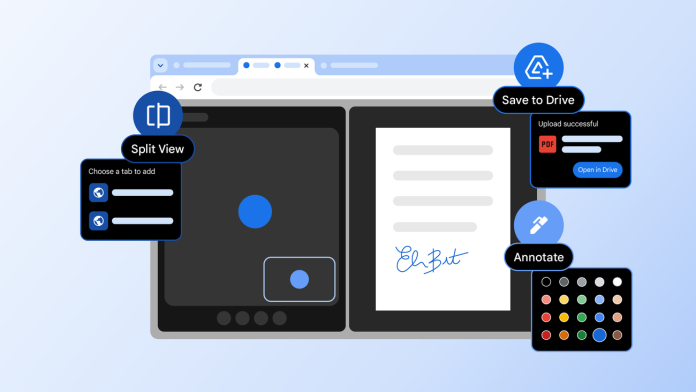
Google recently announced three innovative features for Chrome that seek to address common productivity pains: split view, PDF annotations, and a Save to Google Drive function. Designed for both everyday users and businesses alike, these new tools aim to foster focus and collaboration while reducing time spent navigating the web.
One of the standout offerings, split view, serves as a solution to the all-too-common practice of juggling multiple browser windows or endlessly switching between tabs. This feature allows users to view two tabs side by side, granting a more streamlined workspace. No more back-and-forth tab fatigue. The intuitive nature of split view is built to create a more organized environment, which can enhance productivity significantly.
For example, early testers have reported that the split view has revolutionized their approach to multitasking. One educator shared that it has made grading papers in class much more straightforward. Similarly, users have discovered its utility for taking notes from YouTube videos, while developers appreciate the ability to reference documentation conveniently while coding.
Alongside split view, Google has introduced PDF annotations, enabling users to make notes directly on PDF documents within Chrome. This function effectively eliminates the need for external software, allowing business owners to review contracts, proposals, or reports without switching platforms. With these annotations, users can highlight important sections, comment, and draw directly on the document, streamlining communication and feedback processes.
Finally, the Save to Google Drive feature makes it easier than ever to keep your files organized. Small business owners can now save important web content directly to their Drive, making retrieval simple and efficient. This consolidation can save time and prevent losing critical information, ensuring that entrepreneurs have a centralized location for accessing important documents and data while on the go.
However, while these enhancements can provide a significant boost in productivity, some challenges remain. For instance, small business owners accustomed to traditional workflows may face a learning curve when transitioning to these new features. Moreover, reliance on cloud services like Google Drive raises concerns about data security and privacy. Entrepreneurs need to assess their comfort levels and adapt their systems accordingly.
By embracing these new innovations, small business owners can improve their daily operations significantly. With the right tools, tasks that once felt overwhelming can become manageable, allowing you to focus on the parts of your business that drive growth.
As Google continues to innovate with tools tailored for productivity, it becomes increasingly crucial for small business owners to stay informed about these advancements. By integrating these features into your workflow, you could significantly enhance your efficiency and focus, transforming the way you operate in the digital landscape.
For more detailed information on these new features, check out the original announcement on the Google blog here.
Image Via Chrome

