

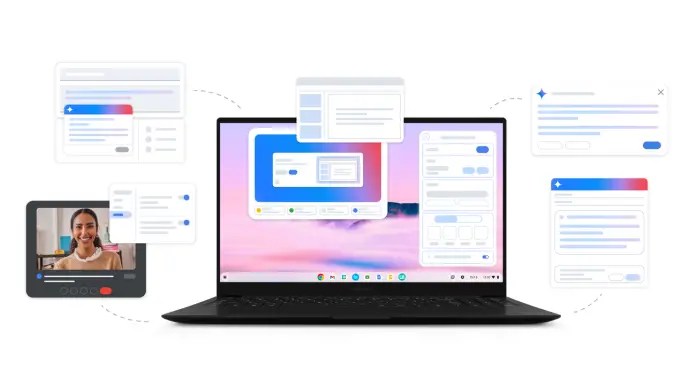
In an era where education increasingly relies on technology, Google’s rollout of the Chromebook Plus is poised to reshape the way educators engage students. With advanced features that integrate artificial intelligence, this new generation of Chromebooks is not just about enhanced performance—it’s about tailored teaching and improved learning experiences.
The Chromebook Plus includes AI tools designed to help educators create customized content and facilitate diverse learning styles. For small business owners involved in the education sector or those providing educational services, these updates present a significant opportunity to elevate their offerings. As education professionals seek effective ways to enhance their teaching, the Chromebook Plus stands out as a versatile solution.
One standout tool is the "Help me write" feature. This function allows educators to refine their writing instantly, whether by condensing text, adding emojis, or adjusting the tone to suit different audiences. Educators can right-click within any text box and find suggestions that cater to varied student needs. This capability not only saves time but also enables teachers to produce more engaging instructional materials quickly.
Another innovative addition is "Help me read," a tool that makes summarizing extensive documents such as PDFs or articles straightforward. With just a right-click, teachers can condense complex readings and ask follow-up questions for deeper understanding. This feature is particularly useful for maintaining student engagement, allowing them to navigate materials at their own pace.
For multilingual classrooms, Google has introduced Live Translate, enabling real-time AI-translated captions in over 100 languages. This feature supports learners by translating content into their native languages or providing assistance in the language they are currently studying. This can significantly enhance understanding and inclusivity, crucial elements for modern classrooms that embrace diversity.
The Quick Insert key, initially launched in the Samsung Galaxy Chromebook Plus, further accelerates the workflow for educators. With a mere tap, teachers can access a menu offering editing suggestions, URL links, and images—all essential for creating engaging presentations and lessons. This feature allows for efficiency and creativity, enabling educators to compile resources seamlessly and enhance their teaching materials.
They’ve also integrated the Gemini feature into Google Workspace for Education, which offers even more generative AI tools for lesson planning and content creation. Such features could help educational institutions streamline administrative tasks, enabling educators to focus more on student outcomes. It’s worth noting that purchasing 25 or more Chromebook Plus devices qualifies businesses for promotions related to Gemini, making it a financially attractive option for institutions looking to upgrade their tech.
Additionally, the new Recorder app allows for the creation of audio content with AI-enhanced voice recording capabilities. Educators can easily record class projects or take notes, with built-in transcriptions providing valuable resources for later reference. While the Recorder app is available on all Chromebooks, only the Chromebook Plus version boasts features like speaker identification, summaries, and noise cancellation, leading to clearer, more useful recordings.
While the advantages are compelling, small business owners should also consider implementation challenges. Training staff to effectively utilize these features is crucial; without proper guidance, the potential of these tools may not be fully realized. Moreover, ensuring that technology remains accessible to all educators and students is vital; disparities in tech proficiency can hinder the effectiveness of these advancements.
In addition, staying current with continuous updates and new features, which Google plans to roll out throughout the year, will require ongoing investment in employee training and development. For smaller institutions or businesses with tight budgets, these factors warrant careful consideration to maximize return on investment.
Overall, the Chromebook Plus represents a significant evolution in educational technology. As small business owners explore how to incorporate these innovations into their operations, understanding both the benefits and challenges will be essential. By leveraging the powerful AI capabilities of the Chromebook Plus, educators can create more effective, personalized learning experiences, ultimately contributing to better student engagement and success.
For further details and to explore the complete range of features, read the original announcement here.
Image Via Chromebook

