

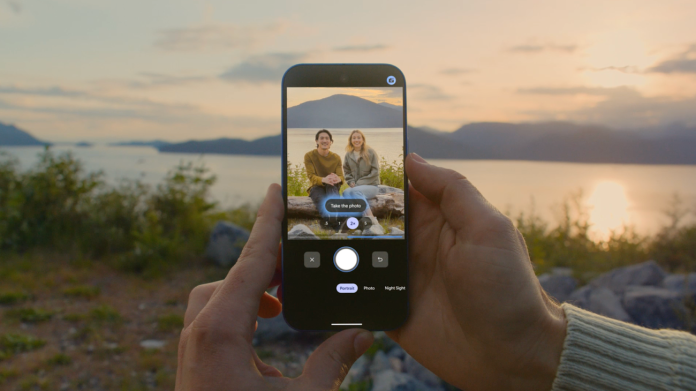
Small business owners are constantly looking for ways to stand out in a crowded marketplace, and innovative tools can make all the difference. Google’s latest enhancements to its Pixel phone camera offer a unique set of features designed specifically to elevate group photography. These updates are more than just technical upgrades; they open up new avenues for businesses to create compelling visual content without the need for professional photography services.
With the introduction of features like Best Take, Add Me, and Camera Coach, Pixel users can ensure that their group photos are not only more visually appealing but also more effective for social media and marketing purposes. For small business owners, capturing engaging images is essential for creating relatable content that resonates with audiences. These new tools could simplify that process significantly.
Best Take allows users to select the best expression from a series of photos, ensuring that there’s no awkward moment captured. This feature is particularly beneficial for businesses looking to showcase their team or customer experiences, as it provides the flexibility to choose the most authentic moment. For instance, a café owner could take group shots of their staff or customers enjoying their coffee and select the best smiles, making each post feel more inviting and relatable.
Add Me is another innovative feature, integrating users into group photos seamlessly, even if they weren’t in the original shot. This capability can help small businesses promote a sense of community and inclusivity. Imagine a local fitness studio that frequently posts pictures of group workouts—the ability to add members who may arrive late can foster a more cohesive brand image and enhance customer engagement.
Camera Coach offers real-time guidance on how to capture the best shot, including advice on lighting and composition. For small businesses not ready to invest heavily in professional equipment or photography services, this tool can serve as an invaluable resource. Whether it’s taking a candid photo during a busy sale or capturing customer testimonials, this guidance can help business owners leverage their smartphones to produce higher-quality images.
Palm Timer is a game-changer for solo entrepreneurs or those who want to be in the picture without needing to ask someone else for help. By enabling users to initiate a timer simply by displaying their palm, the feature eliminates the rush typically associated with setting up a shot. This is particularly useful for personal brands or business owners wanting to add a personal touch to their marketing content.
While these features are promising, there are potential challenges small business owners should consider. For example, the effectiveness of these tools is largely dependent on user familiarity with the technology. Training staff or spending time understanding the features may be necessary to fully capitalize on the capabilities of the Pixel phone. Additionally, while the camera enhancements may help create visually appealing content, it’s crucial to maintain authenticity in branding, ensuring that images genuinely represent the business.
Moreover, as with any technology, product updates and changes come with a learning curve. Business owners should weigh the benefits against the time investment required to master these features. Ultimately, using these advanced tools efficiently can lead to better customer engagement and enhanced brand visibility.
In the digital age, visual content remains king, and having the right tools to produce high-quality images is invaluable. The enhancements introduced by Google in the Pixel lineup not only promise to streamline photography tasks but also empower small businesses to create engaging, professional-looking content that can enhance their market presence.
For more information on the latest Pixel features and how they can benefit your business, visit the original post here.
Image Via Google Pixel

