If you’re running a budget-conscious business, finding an affordable POS system is crucial for your bottom line. The right POS can streamline operations without breaking the bank. With options like Square and Skytab, you can access useful features at low costs. Nevertheless, it’s important to contemplate not just the upfront fees but additionally any hidden charges that may arise. Comprehending these aspects can help guarantee you choose a system that truly meets your needs.
Key Takeaways
- Square POS offers a free card reader with competitive transaction fees of 2.6% + $0.15 per in-person sale.
- Skytab POS is restaurant-focused, starting at $29.99/month with lower fees of 1.75% + $0.15 for in-person payments.
- Shopify POS begins at $39/month and is optimized for seamless online and in-person sales.
- PayAnyWhere POS has no specified monthly fees, focusing on robust inventory management features for budget-conscious businesses.
- TouchBistro starts at $69/month, providing tailored solutions specifically for the restaurant industry.
Overview of Affordable POS Systems
When you’re running a small business, finding an affordable POS system can greatly impact your bottom line. In Canada, several options qualify as the cheapest POS systems, catering to various needs.
For instance, Square POS offers a no-cost entry point, providing a free card reader and charging a transaction fee of 2.6% plus $0.15 for in-person payments.
If you’re in the restaurant industry, Skytab POS starts at $29.99 monthly, with lower transaction fees of 1.75% plus $0.15.
Shopify POS, suitable for hybrid selling, begins at $39 per month and charges 2.7% for in-person sales.
PayPal POS is another simple, cost-effective choice, known for its user-friendly features in spite of lacking advanced analytics.
Key Features to Look for in Budget-Friendly POS Solutions
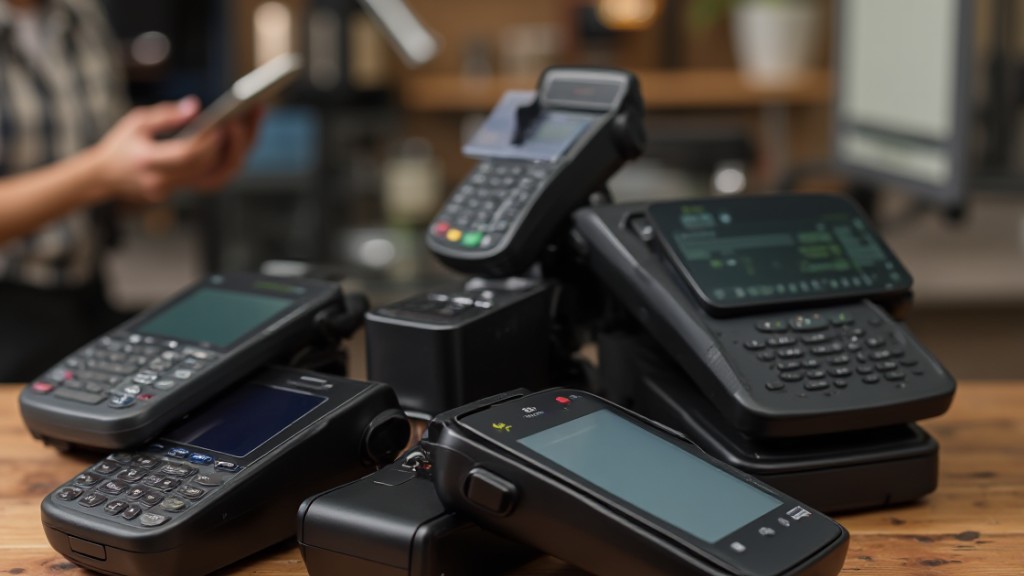
When selecting a budget-friendly POS solution, it’s vital to focus on fundamental functionality requirements that meet your business needs.
Look for cost-effective hardware options that won’t break the bank and a user-friendly interface design that simplifies employee training.
These features not merely improve operational efficiency but additionally contribute to a smoother customer experience.
Essential Functionality Requirements
Choosing an affordable POS system can greatly influence your business’s efficiency and customer satisfaction, so it is essential to concentrate on key features that meet your specific needs.
| Key Features | Importance |
|---|---|
| User-Friendly Interface | Quick staff training and ease of use |
| Integrated Inventory Management | Real-time stock tracking and alerts |
| Multiple Payment Methods | Cater to diverse customer preferences |
| Built-in Reporting Tools | Detailed sales tracking without extra costs |
| Compatibility with Existing Tools | Streamlined processes and reduced data entry |
Prioritize these functions to improve your operations. An intuitive interface guarantees swift staff onboarding, whereas integrated inventory management helps maintain ideal stock levels. Supporting various payment methods enhances checkout efficiency, and built-in reporting aids in performance analysis without added expenses.
Cost-Effective Hardware Options
Finding cost-effective hardware options for your POS system can greatly impact your overall expenses and operational efficiency.
To make informed decisions, focus on these key features:
https://www.youtube.com/watch?v=ZbwytnwVbAk
- Essential Components: Look for systems that include barcode scanners, receipt printers, and cash drawers, often starting as low as $100.
- Mobile Payment Options: Choose systems that allow smartphones or tablets to act as payment terminals, reducing hardware costs.
- Integrated Card Readers: Systems with built-in card readers streamline processes, eliminating the need for separate devices.
- Cloud-Based Software: Opt for solutions that don’t require costly on-premise hardware, leading to lower upfront costs and maintenance fees.
Evaluating these options can help you stay within budget during ensuring you have the necessary technology for your business.
User-Friendly Interface Design
How can you guarantee that your budget-friendly POS solution is user-friendly? First, look for an interface that allows intuitive navigation, enabling employees to access vital features quickly and minimizing the learning curve.
Customizable dashboards are significant; they let you tailor displays of sales, inventory, and customer data to fit your business needs. Touchscreen capabilities can further improve user experience, allowing staff to process transactions swiftly.
Furthermore, opt for systems that provide clear, visually appealing reporting tools, making it easy to interpret sales data and performance metrics.
Finally, consider platforms that offer thorough training resources and ongoing support, ensuring that users can effectively utilize the system and troubleshoot any issues that arise.
The Top 7 Cheapest POS Systems for Small Businesses
When you’re on a tight budget but need an efficient point-of-sale (POS) system, several options cater to small businesses without breaking the bank.
Here are seven of the cheapest POS systems to evaluate:
- Square POS: Free card reader, 2.6% + $0.15 per in-person transaction.
- Skytab POS: Starting at $29.99/month, with 1.75% + $0.15 for in-person payments, ideal for restaurants.
- Shopify POS: Begins at $39/month, optimized for online and in-person sales, with 2.7% transaction fees.
- PayAnyWhere POS: No specified monthly costs but offers strong inventory management features, though it has a steep learning curve.
Other options include TouchBistro, which starts at $69/month for restaurant-specific solutions, and additional budget-friendly systems you might explore.
Each of these options allows you to manage sales effectively during your budget.
Comparing Costs and Features of Budget POS Systems
When comparing budget POS systems, it’s crucial to look at both pricing models and the features they offer.
Most systems range from $29 to $129 per month, with some even offering free basic options.
Comprehending these costs alongside key functionalities like inventory management and customer tracking will help you choose the best fit for your business needs.
Pricing Models Overview
Many small business owners find themselves maneuvering a variety of pricing models when selecting a budget-friendly POS system. Grasping these models can help you make an informed choice.
Most budget systems offer monthly subscription plans ranging from $29 to $129, whereas more extensive platforms can exceed $199 per month. Key points to ponder include:
- No upfront costs: Some systems, like Square POS, require only transaction fees.
- Competitive pricing: Skytab POS starts at $29.99 per month with lower fees.
- Hidden fees: Be cautious of additional charges for processing, hardware, or cancellations.
- Feature sets: Contemplate what tools are available for customer and employee management.
Review each option carefully to avoid unexpected costs that could impact your budget.
Essential Features Comparison
How do you choose the best budget-friendly POS system for your business needs? Start by comparing crucial features and costs. Below is a table to help you understand your options:
| POS System | Monthly Cost | Key Features |
|---|---|---|
| Square POS | Free to $129 | 2.6% + $0.15 fees, easy setup |
| Skytab POS | $29.99 | 1.75% + $0.15 fees, restaurant-focused |
| Shopify POS | $39 | 2.9% + $0.30 fees, online sales |
| PayAnyWhere POS | Not specified | Inventory management, tracking |
| Lightspeed POS | $109 | Advanced inventory tools |
Hidden Fees to Watch Out for With POS Software
Though you might initially focus on the advertised prices of POS systems, it’s crucial to recognize that hidden fees can greatly impact your overall costs. Many businesses overlook these extra charges, which can accumulate quickly.
Here are some common hidden fees to watch out for:
- Payment processing fees: Vendors may mark up these costs, increasing your transaction expenses.
- Hardware leasing agreements: Long-term contracts often include hidden costs, such as interest rates, that raise total expenses.
- Cancellation fees: Exiting a POS service early can lead to unexpected charges.
- Additional charges for support: Some vendors impose fees for software updates, training, and customer support, which can exceed your initial budget.
How to Choose the Right Budget POS System for Your Business
When evaluating budget POS systems for your business, it’s essential to first identify your specific operational needs. Assess your industry requirements and desired features to guarantee compatibility with an affordable POS system.
Compare monthly subscription costs, which can range from $29 to $129, to find an option that fits your budget. Look for systems that offer free trials or low upfront costs, allowing you to test their functionality before making a long-term commitment.
Be mindful of hidden fees associated with payment processing, hardware leasing, or cancellation, as these can greatly affect your overall costs.
Prioritize user-friendly interfaces to minimize training time for your staff, and reliable customer support to assist with any issues that may arise.
Tips for Setting Up Your Affordable POS System
Setting up your affordable POS system can be a straightforward process if you follow a few key steps.
Start by choosing a cloud-based POS system with a free trial or low monthly fees, like Square POS, which has no upfront hardware costs. Confirm your selected software includes critical features such as:
- Real-time inventory tracking
- Sales analytics for cash flow management
- User-friendly interfaces for easy employee training
- Access to online resources and vendor support
These features help optimize stock management without extra costs.
Customize your system to suit your business needs, minimizing downtime during the shift. Regularly review your POS performance and use built-in analytics tools to make informed decisions that improve efficiency.
Frequently Asked Questions
What POS System Has the Least Fees?
When considering POS systems with the least fees, Square POS stands out with its competitive rates of 2.6% plus $0.15 for in-person transactions.
Skytab POS follows closely, offering 1.75% plus $0.15 for in-person sales.
PayAnyWhere provides a flat fee structure, which can be beneficial as sales volume increases.
Clover and Shopify likewise offer reasonable fees, but their pricing may vary based on additional features and services, so evaluate your specific business needs carefully.
What Is the Best POS System for Small Businesses?
The best POS system for small businesses depends on your specific needs.
For basic transactions, Square offers a free starter option with low fees.
If you require online integration, Shopify POS might suit you, starting at $39 monthly.
Restaurants can consider Skytab, starting at $29.99, for budget-friendly service.
Lightspeed, though pricier at $109, thrives in inventory management for retailers.
Remember to explore free trials to find the best fit for your business before committing.
Is There a Free POS System for Small Businesses?
Yes, there are free POS systems for small businesses. Options like Square and PayPal POS provide fundamental features such as payment processing, basic inventory management, and sales tracking without upfront costs.
Nevertheless, be cautious of potential transaction fees for credit card processing, along with limitations on user access and monthly transactions.
It’s vital to read the terms carefully to make certain the system aligns with your business needs and future growth plans.
How Much Does a POS System Cost for a Small Business?
A POS system for a small business typically costs between $29 and $129 per month, depending on the features you need.
Service businesses often pay between $39 and $89 monthly.
Although free POS systems exist, they usually come with limited capabilities.
Be aware that additional hardware costs, like card readers or terminals, can increase your overall expenses.
Different pricing models, such as flat subscriptions or transaction-based fees, likewise affect the total cost considerably.
Conclusion
In conclusion, selecting an affordable POS system is crucial for budget-conscious businesses aiming to improve efficiency without overspending. By evaluating options like Square POS or Skytab POS, you can find a solution that fits both your needs and budget. Remember to evaluate key features, potential hidden fees, and your specific business requirements. With careful research and informed choices, you can successfully implement a cost-effective POS system that supports your operations and drives profitability.
Image via Google Gemini