In the realm of capturing stunning product photos, utilizing the right apps can make a significant difference. Apps like Lightroom and BeFunky offer strong editing tools to improve colors and lighting, whereas InShot and Canva are perfect for creating engaging social media content. Furthermore, PhotoPills helps you manage natural light effectively, and SCRL and Preview assist with social media planning. Comprehending how each app functions can boost your photography skills. Let’s explore these options further.
Key Takeaways
- Lightroom offers professional-grade editing tools to enhance image quality, making it ideal for vibrant product photos.
- BeFunky provides a user-friendly interface and various editing tools for creative touch-ups and image improvements.
- InShot is perfect for social media, allowing for easy trimming, cropping, and customizable templates to enhance product visuals.
- Canva simplifies design for marketing materials with customizable templates and optimized sizes for social media platforms.
- PhotoPills helps manage natural light with sun tracking tools, ensuring optimal shooting times for stunning product photography.
Lightroom
When you’re looking to improve your product photos, Lightroom stands out as a strong editing tool that can greatly boost the quality of your images. This app for product photos provides crucial features for adjusting lighting and color, making it easy to create visually appealing images.
With its user-friendly interface, both amateur and professional photographers can navigate the software effortlessly.
One of Lightroom’s standout features is its ability to save all edits, which allows you to apply similar adjustments across multiple images, streamlining your editing process.
Whether you’re aiming for lively colors or perfect lighting, Lightroom helps you achieve the ideal look that attracts customer attention.
As part of the Adobe suite, it offers professional-grade editing tools that considerably improve image quality, solidifying its reputation as the best app for product photos.
PhotoPills
PhotoPills serves as an invaluable tool for photographers looking to optimize their product photography by effectively managing natural light. This crucial app offers thorough sun and moon tracking tools, allowing you to plan the best shooting times based on lighting conditions.
With its planner mode, you can visualize the sun’s position at various times of the day, ensuring your product shots are lit perfectly.
Additionally, PhotoPills features augmented reality capabilities, helping you visualize your shots in real-world conditions before capturing them. This functionality is particularly useful for experimenting with angles and compositions without the need for multiple setups.
For those interested in night photography or time-lapse projects, the app includes specialized tools to facilitate stunning imagery across different lighting scenarios.
Its user-friendly interface boosts confidence in shot execution, making PhotoPills a valuable resource for photographers of all skill levels.
Canva
Canva offers user-friendly design tools that make it easy for you to create eye-catching marketing materials featuring your product photos.
With a wide selection of templates and design elements, you can quickly generate professional-looking visuals for social media posts, flyers, and more.
Whether you’re using the free version or opting for the paid subscription, Canva’s capabilities support your efforts in making your products stand out effectively.
User-Friendly Design Tools
Creating stunning product photos for marketing doesn’t have to be complicated, and tools like Canva make the process straightforward. With its intuitive drag-and-drop interface, you can easily create marketing materials and social media posts.
The platform offers a vast library of templates, allowing you to access various design elements like fonts, images, and icons. This feature permits the effortless incorporation of your product photos into professional designs.
Canva’s preset image sizes guarantee your photos are optimized for different social media platforms, enhancing their visual appeal. Furthermore, the layering functions provide detailed customization, making it user-friendly for those without graphic design skills.
Although the free version has limitations, the paid version at $12.95/month reveals more extensive design resources.
Marketing Material Creation
In regard to marketing material creation, having the right tools can greatly streamline the process. Canva simplifies this by offering customizable templates designed for various platforms, ensuring your product images look professional. With its user-friendly interface, even those with minimal graphic design skills can create appealing visuals. Canva seamlessly integrates product photos into social media posts, flyers, and info packs, boosting engagement. Furthermore, the platform provides preset image sizes for different social media, helping you maintain a polished online presence. The free version covers fundamental features, whereas the paid subscription reveals more templates, making it a cost-effective choice for small businesses.
| Feature | Description |
|---|---|
| Customizable Templates | Wide range for various platforms |
| User-Friendly Interface | Easy for non-designers to use |
| Seamless Integration | Incorporate photos into marketing materials |
| Preset Image Sizes | Optimized for social media |
| Cost-Effective | Free version and affordable subscription |
InShot
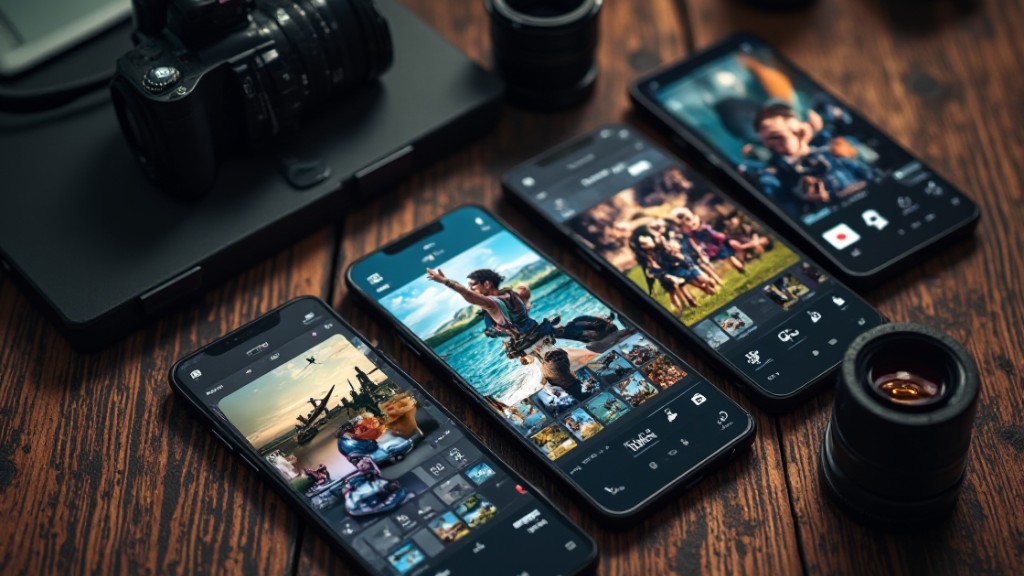
When looking to improve your product photos for social media, InShot stands out as a versatile editing app designed to streamline the process. This popular app allows you to easily trim, crop, and upgrade your photos and videos, making it perfect for quick posting on platforms like Instagram and TikTok.
With its user-friendly interface, you’ll find that editing your content becomes a seamless experience.
InShot offers a variety of customizable templates and editing tools, enabling you to create engaging reels and stories that capture your audience’s attention. The app supports multiple video formats, ensuring your product videos are optimized for different social media platforms.
Plus, InShot is frequently updated with new features, helping you keep your content fresh and aligned with the latest trends in social media marketing. By using InShot, you can raise your product photos and effectively engage your audience.
SCRL
SCRL offers a unique solution for anyone looking to improve their social media presence through visually enchanting collages. This innovative app lets you combine multiple photos into a single image, making it easy to create eye-catching posts that stand out in crowded feeds.
With customizable text options, you can effectively improve your visual storytelling, perfect for showcasing product series or behind-the-scenes content.
SCRL‘s user-friendly interface simplifies the collage-making process, allowing users of all skill levels to create professional-looking marketing materials. This is particularly beneficial for small businesses and entrepreneurs who may not have extensive graphic design skills.
Preview
Preview is a strong tool for scheduling your social media posts and creating a content calendar that keeps your visuals organized.
By allowing you to see how your product photos will appear across different platforms, it guarantees that your aesthetic remains consistent and appealing.
This user-friendly app not just streamlines your social media management but likewise improves your overall online presence with well-planned visuals.
Scheduling Social Media Posts
Effective social media management hinges on the ability to plan and schedule posts strategically, and using an app like Preview can greatly refine this process.
Preview is crucial for organizing your posts, as it allows you to create a content calendar that helps you stay on track. You can preview how each post will look on different platforms, ensuring visual consistency before hitting publish.
The app’s user-friendly interface streamlines management, letting you visualize your feed layout easily. Plus, the drag-and-drop feature improves flexibility, allowing you to experiment with different arrangements effortlessly.
Content Calendar Creation
Creating a content calendar is essential for maintaining a consistent social media presence, especially when using an app like Preview. This influential tool lets you plan and schedule your posts, helping you organize your overall strategy effectively.
With Preview, you can visually arrange your posts in a grid format, allowing you to assess the aesthetic and flow of your feed before publishing. This guarantees visual consistency, which is crucial for a cohesive brand presence.
Furthermore, the content calendar feature enables you to schedule posts in advance, so you deliver timely and relevant content without last-minute stress. By streamlining your social media management, Preview helps you save time and engage more effectively with your audience.
BeFunky
Using BeFunky for your product photography can greatly improve the quality of your images, making them more appealing to potential buyers. This platform features an easy and intuitive interface, ensuring that users of all skill levels can navigate it effortlessly. BeFunky provides a rich array of editing tools perfect for various creative tasks, from touch-ups to improvements.
You can start with a free version that includes crucial editing capabilities, whereas a paid upgrade for $4.95/month reveals additional features. It’s particularly favored by those who prefer straightforward image manipulation without the complications of advanced software.
Here’s a quick comparison of BeFunky’s features:
| Feature | Free Version |
|---|---|
| Basic Editing Tools | ✔ |
| Advanced Filters | ❌ |
| Monthly Subscription | $4.95 |
With BeFunky, transforming average product images into stunning visuals becomes not only possible but also simple.
Frequently Asked Questions
What Is the Best Product Photo App?
Choosing the best product photo app depends on your specific needs.
If you require quick improvements, CLAID.AI processes images in just 2-3 seconds.
For e-commerce, WeShop AI offers customizable model poses for apparel.
If you want user-friendly options, consider Freepik AI Image Generator, which starts at $5.75/month.
For driving sales with effective visuals, AdCreative.ai combines product images with ad text, beginning at $25/month.
Evaluate these features to find what suits you best.
How to Make High-Quality Product Photos?
To create high-quality product photos, start by using good lighting and a clean background to improve your subject.
Capture your product from multiple angles, ensuring you showcase its features effectively.
Post-processing tools can help you adjust brightness and contrast during maintaining consistency across images.
Utilize AI tools for background removal and image improvement, and incorporate these visuals into marketing materials for better engagement.
Consistent quality will raise your brand’s online presence.
What Is the Best AI for Product Photos?
When choosing the best AI for product photos, consider your specific needs.
CLAID.AI offers extensive editing features, perfect for enhancing existing images.
WeShop AI stands out in generating realistic model photos, ideal for e-commerce.
AdCreative.ai focuses on creating high-ROI ad creatives, including product images.
For a user-friendly option, Freepik’s generator provides quality visuals for marketing.
Finally, Pebblely improves efficiency with bulk processing and background removal, making it a strong contender for quick, professional results.
What Is Best for Product Photography?
For effective product photography, focus on three key aspects: lighting, composition, and editing. Use natural light or softbox setups to improve image quality.
Arrange products thoughtfully to highlight features, ensuring that backgrounds are clean and non-distracting.
After capturing images, utilize editing tools to adjust brightness, contrast, and saturation, enhancing overall appeal.
Investing time in these elements helps create photos that attract consumers and represent your brand effectively, consequently driving sales.
Conclusion
Incorporating these seven apps into your photography routine can greatly improve your product images. Lightroom provides professional editing capabilities, whereas BeFunky and InShot cater to quick and creative adjustments. Canva is perfect for designing marketing materials, and PhotoPills helps you manage natural lighting effectively. SCRL and Preview assist in organizing your social media presence. By utilizing these tools, you can create visually appealing photos that raise your brand and engage your audience effectively.
Image via Google Gemini